AI WorkDeck

Bring your work together.

Documents, conversations, research and AI. From different places to one workspace.

No installation required · Web preview

AI WorkDeck Community Edition demonstration: project files, document editing and the AI assistant, side by side in one workspace

01 / EVERY SOURCE, CLOSE AT HAND

One file opensa whole project.

Documents, slides, PDFs, images and audio belong together. Browse, preview and manage your project from the folders on the left.

Open a folder → Select a source → Preview in place

Next, move naturally into editing
Explorer — AI WorkDeck sample project

02 / FROM READING TO WRITING

Familiar writing.All the context.

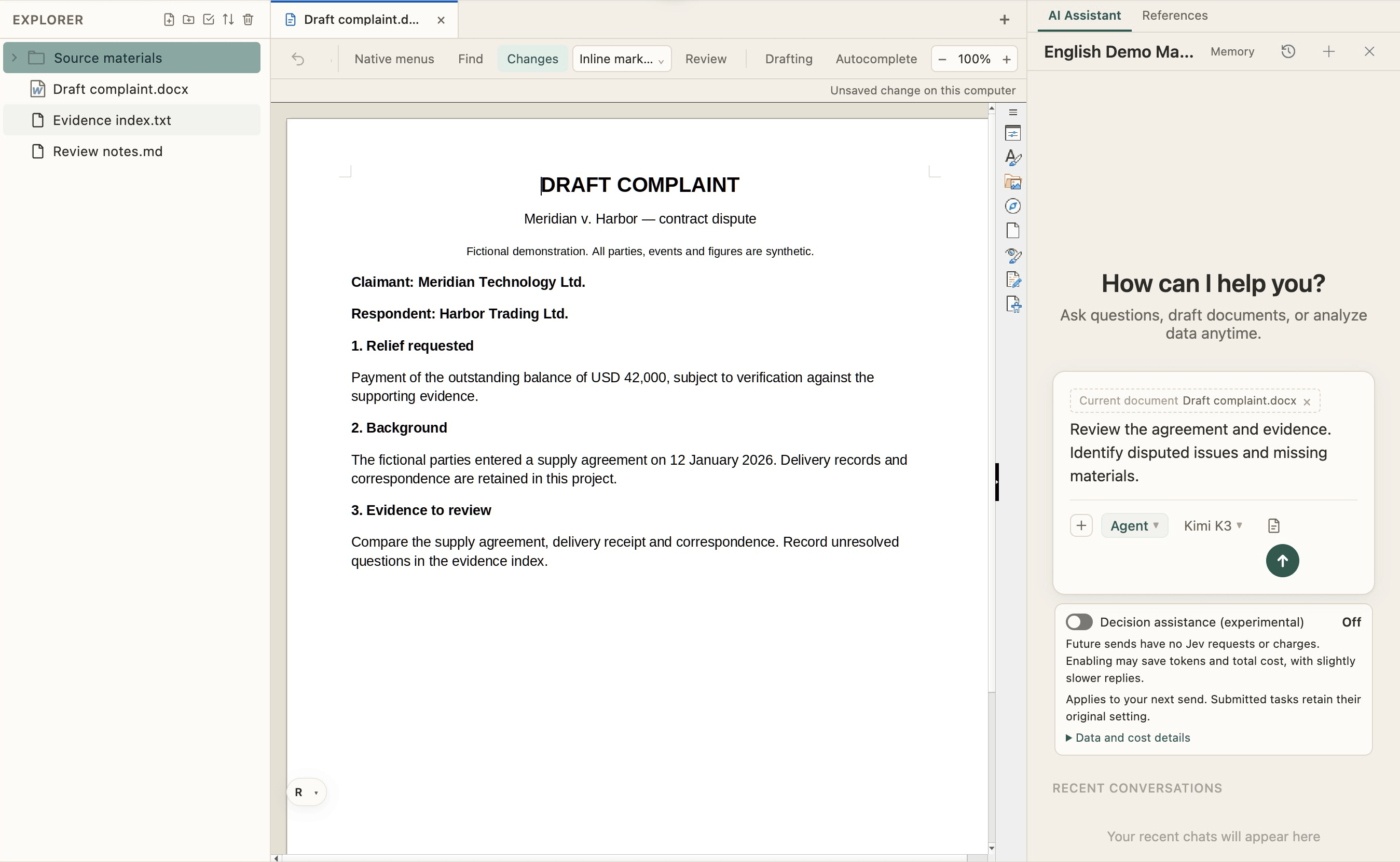
Edit, format and review documents in the middle, just as you would in Word. Your source files stay within reach as the next draft takes shape.

Write and format · Track changes · Review

Bring the AI on your right into the work

Document editor — AI WorkDeck sample project

03 / PUT YOUR CONTEXT TO WORK

From a conversationto a changed file.

Ask AI to revise the open document using project materials, or organize the folder on the left. The conversation, sources and results share one workspace.

“Revise this paragraph using the contract, then list missing materials.”

There is more to explore, hands on

AI collaboration — AI WorkDeck sample project

EXPLORE AI WORKDECK

More possibilities, on your left.

Search, redaction, plugins and Skills, with favorites and clipboard close at hand.

Get to know more

The right region. A clear start.

International and US sites share accounts and data. Mainland China runs separately.